
Managing your plan, billing and credits
For Admins and Super Admins. If you're a rep, you can see your own credits from Usage in the top bar
This article covers your plan, billing, and how to track and top up credits. To learn what Zulie AI credits and enrichment credits are used for, see AI agents and credits.
Your plan and billing
Go to Settings > Account > Billing & Plans. The Billing tab shows:
- Your plan and its status, with Manage Plan and Upgrade Plan.
- Seats: how many you're using out of how many your plan includes.
- Zulie AI credits per user each month and Enrichment credits each month on your plan.
- Next payment: the date of your next payment.
- Payment: your card on file, with Manage to update it.
- Billing history: every invoice, with its date, amount and status.
Compare and change plans
Open the Explore plans tab to compare Free, Growth, Pro and Enterprise, including the credits and features each one includes. Switch between Monthly and Annual pricing at the top right. Annual billing is cheaper.
Click Choose plan to switch, or Talk to us for Enterprise. For current prices, see sparrowcrm.com/pricing.
Add seats and credits
Click + next to Seats on the Users & Teams page. This opens Add Addons, where you can add seats, Zulie AI credits and enrichment credits to your plan. Check the Order Summary, then click Complete Purchase.
You can also click Add Credits on the AI Credits & Usage page. Adding credits isn't available on a trial plan, so upgrade your plan first.
Track credit usage
Go to Settings > Account > AI Credits & Usage.
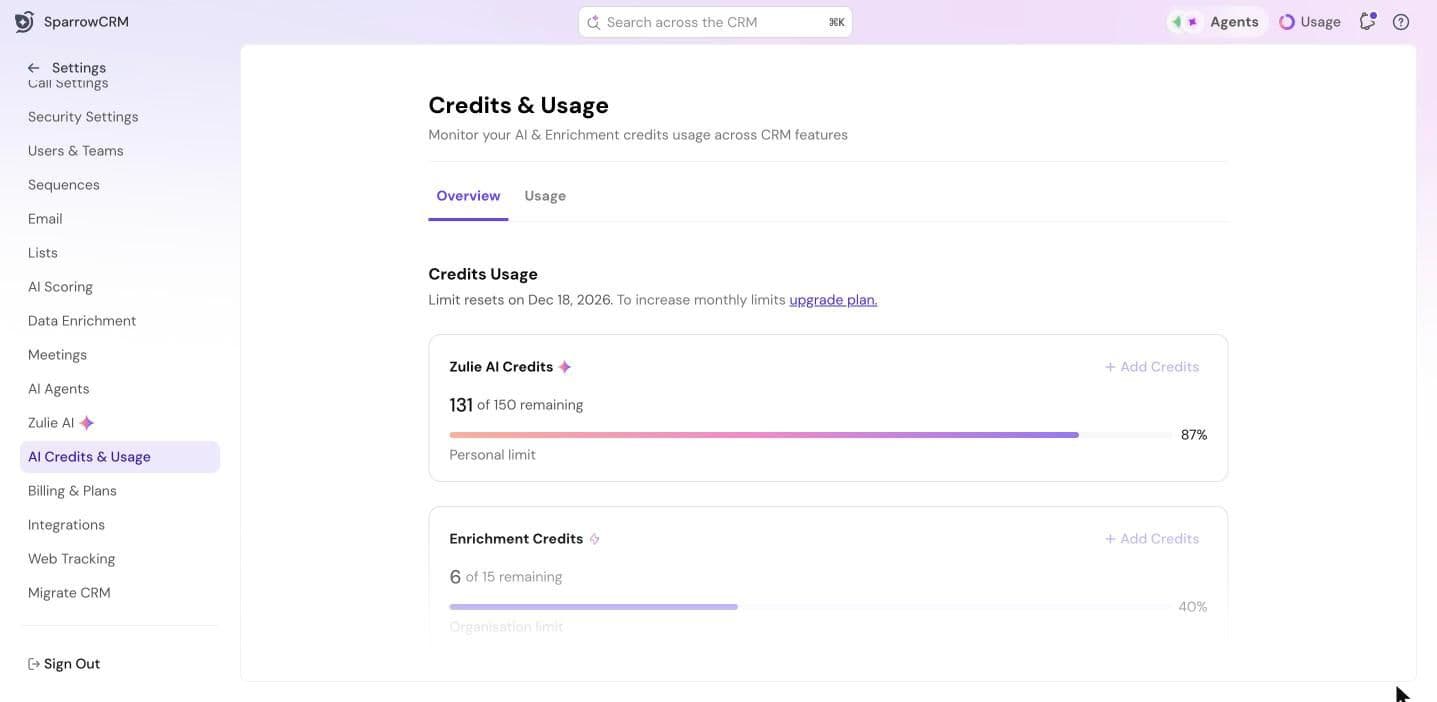
Overview
- Zulie AI Credits: how many you have left this month. This is a Personal limit, for each user.
- Enrichment Credits: how many your company has left. This is an Organisation limit, shared by everyone.
- The date your limits reset is shown at the top.
- Set Usage limit: cap how many enrichment credits each user can use, so one person can't use up the company's credits.
Usage
The Usage tab has a Usage log of every credit used: the record, what triggered it, the date, the user and how many credits it took. Switch between Zulie AI credits and Enrichment credits, and choose a date range.
Need help?
Reach out to us at [email protected].
Was this helpful?