
Keeping your account secure
SparrowCRM has two places for security settings: your own, which every user can manage, and the account's, which apply to everyone in the workspace.
Your security settings
Go to Settings > Profile > Security.
Connected accounts
See the email accounts connected to your profile. The one marked Default is your main account. To disconnect one, click ⋮ next to it and choose Remove mailbox.
Password
Click Reset Password to change your password.
Two-factor authentication
Two-factor authentication (2FA) adds a second step when you sign in, so a stolen password alone isn't enough to get into your account.
- Click Two-Factor Authentication.
- Enter your phone number. A login code is sent to this number when you sign in.
- Click Next, Send verification code and enter the code you receive.
Active sessions
Seeing who's signed in and ending sessions you don't recognize is available on the Pro plan.
Account security settings
For Admins and Super Admins. These settings apply to everyone in the workspace.
Go to Settings > Account > Security Settings.
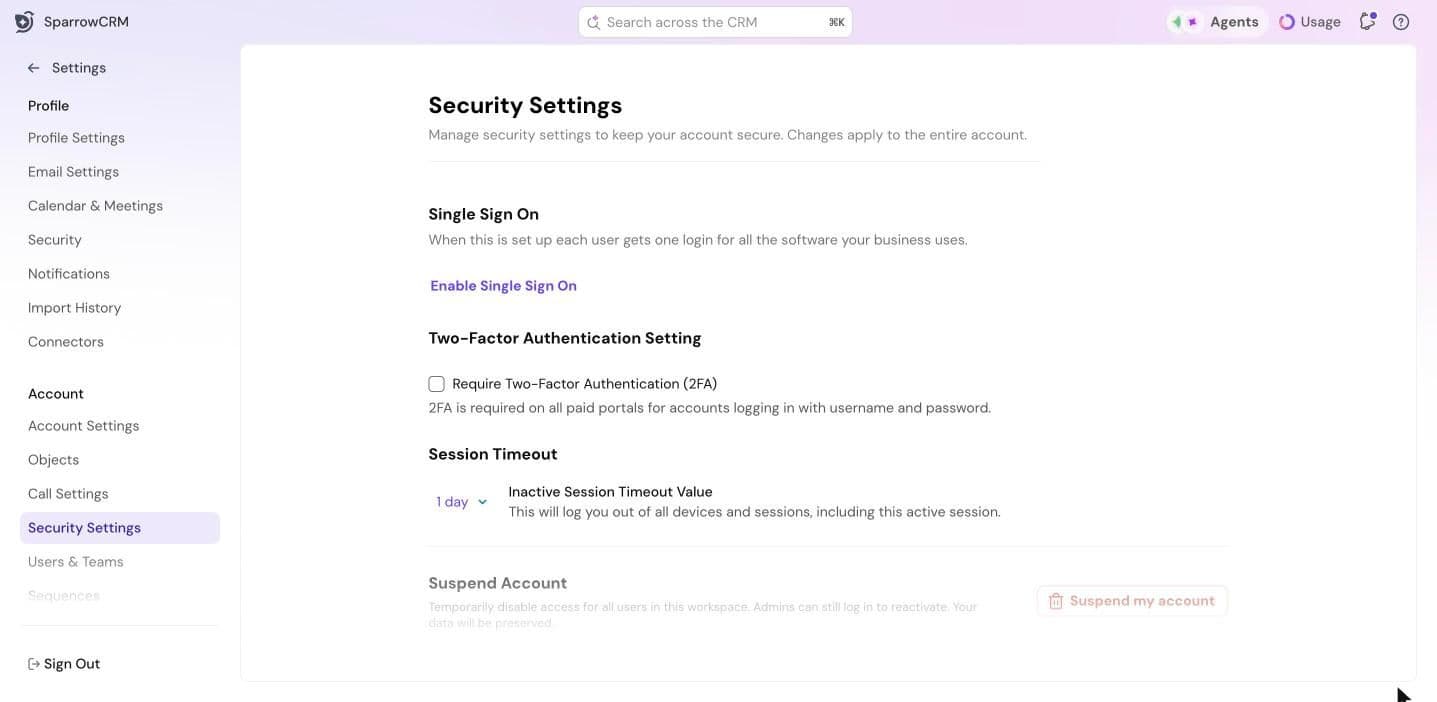
Require two-factor authentication
Select Require Two-Factor Authentication (2FA) to make 2FA mandatory for everyone who signs in with a username and password.
Set up single sign-on
With single sign-on (SSO), your team signs in to SparrowCRM with the same login they use for your other business tools.
- Click Enable Single Sign On.
- Enter your identity provider's Identity Provider Login URL and, optionally, its Logout URL.
- Paste the X.509 Certificate from your identity provider.
- To make SSO the only way to sign in, select Enforce logins only through SSO. Everyone will need to sign in through SAML SSO, and existing non-SSO sessions are ended.
- Click Save Changes.
Session timeout
Choose how long a user can be inactive before they're signed out, from 10 minutes to 1 day. Changing this signs you out of all devices and sessions, including the one you're using.
Suspend or delete the account
- Suspend Account: temporarily block access for all users. Admins can still sign in to reactivate it, and your data is kept.
- Permanently Delete Account: delete the account and all its data. This can't be undone. Connected accounts aren't affected.
Need help?
Reach out to us at [email protected].
Was this helpful?