
Integrations in SparrowCRM
Connect SparrowCRM to the tools your team already uses. Every integration is listed in Settings > Integrations.
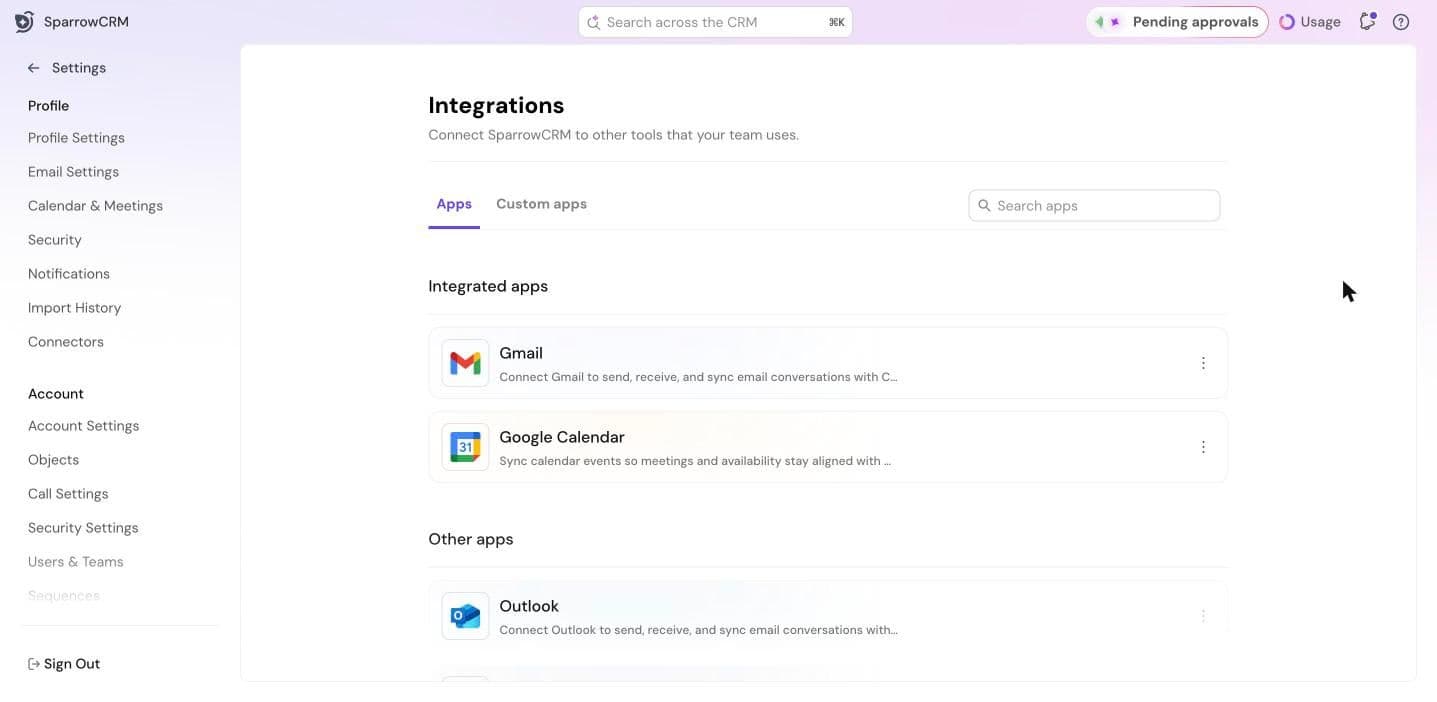
The page has two tabs:
- Apps: ready-made integrations. Integrated apps at the top are the ones in use in your account; Other apps lists the rest.
- Custom apps: your own apps that connect through the SparrowCRM Public API. See Connecting your own apps with the Public API.
Available integrations
Most apps are connected from the settings page for that feature, not from the Integrations page.
App | What it does | Where to connect it | Read more |
Gmail, Outlook | Sync email conversations with your contacts and send email from SparrowCRM | Settings > Email Settings | Connecting Gmail or Outlook |
Google Calendar, Outlook Calendar | Sync meetings and availability, and use appointment links | Settings > Calendar & Meetings | Meeting Settings |
Zoom | Schedule Zoom meetings and get recordings, transcripts and AI summaries | Settings > Calendar & Meetings > Video Conferencing Apps | Zoom integration for SparrowCRM |
Aircall, RingCentral | Call from SparrowCRM and log every call | Settings > Call Settings | Installing and connecting Aircall with SparrowCRM; Setting up Calls |
Slack | Get your SparrowCRM notifications in Slack | Settings > Notifications | Getting SparrowCRM notifications in Slack |
Apollo | Enrich contacts and companies with Apollo data | Settings > Data Enrichment | Set up enrichment and scoring |
Google Drive | Attach and open Google Drive files from records | — | — |
Claude, ChatGPT and other AI tools | Work with your CRM data from your AI assistant | Settings > Connectors | Use SparrowCRM MCP |
Pro integrations
Zapier, SurveySparrow and SparrowDesk are available on the Pro plan. They show a Pro label and a Request Access button. Click Request Access to ask for them.
- Zapier: connect SparrowCRM with thousands of apps through Zapier triggers and actions.
- SurveySparrow: sync survey responses and respondent data with contacts, companies and deals.
- SparrowDesk: link help desk tickets and customer conversations to CRM records.
See who's connected
For Admins and Super Admins. On an app in Integrated apps, click ⋮ > View connected users. You'll see each user who connected the app and the date they connected.
If you're a rep, your admin can check this for you.
Was this helpful?