
AI agents and credits
Zulie's AI runs on credits. This article explains AI agents, the two kinds of credits, and how to make your credits go further.
AI agents
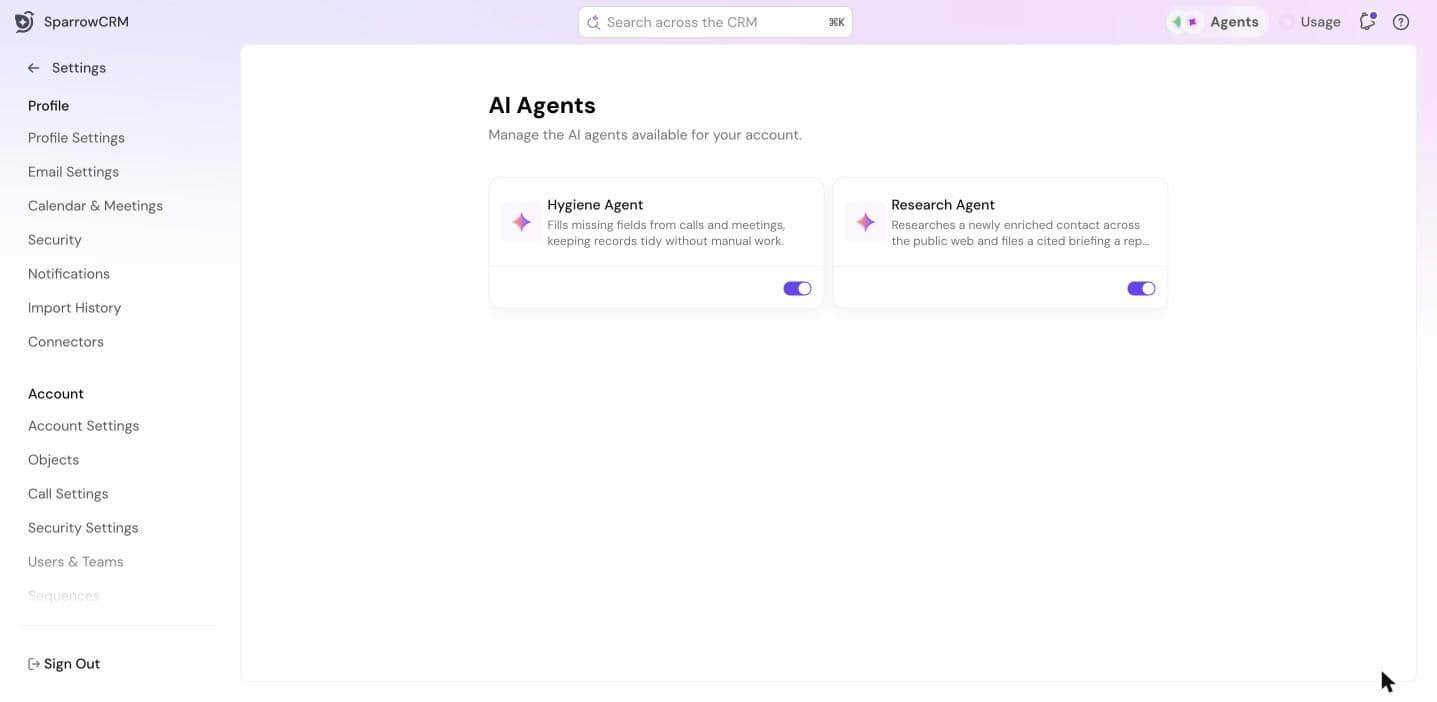
Agents are Zulie working in the background, so you don't have to. Two agents are available:
- Hygiene Agent: fills missing fields from calls and meetings, keeping records tidy.
- Research Agent: researches a newly enriched contact on the public web and files a cited briefing you can read before reaching out.
More agents, like the Follow-up, Recap and Prospecting agents, are available on the Pro plan.
Turn agents on for your team
For Admins and Super Admins.
- Go to Settings > AI Agents.
- Turn on the agents your team should use.
Switch an agent off for yourself
If your admin has turned an agent on, it runs for you automatically. To stop it:
- Click Agents in the left sidebar.
- Open the agent and pause it.
Open any agent to see its runs, the changes waiting for your approval, and how it's performing. Agents can be set to ask for your approval before they change a record.
Two kinds of credits
- Zulie AI credits power Ask Zulie and other AI features. Each person has their own monthly allowance.
- Enrichment credits fill in contact and company details. They're shared across your organization.
Both reset every month. How many you get depends on your plan. See sparrowcrm.com/pricing.
Check your credits
- Quick view: click Usage in the top bar to see what's left and when it resets.
- Full view: go to Settings > AI Credits & Usage. The Usage tab has a log of every credit used, by record, trigger and person.
Make your credits go further
For everyone
- Be specific with Ask Zulie. @mention the record or meeting you mean, and follow up in the same chat instead of starting over.
- Enrich only the records you'll work on. Each enrichment uses credits, so check whether a record is already enriched first.
- Use phone number enrichment sparingly. It costs 9 credits per record.
- Pause agents you don't need.
- Check Usage now and then, so you're not caught out mid-month.
For Admins and Super Admins
- Choose what gets enriched automatically. In Settings > Data Enrichment, decide whether new records and bulk imports are enriched automatically. Bulk enrichment uses the most credits.
- Set a per-user enrichment limit. Use Set Usage limit in Data Enrichment or AI Credits & Usage.
- Turn on only the AI features you need. In Settings > Zulie AI, choose which features run, and whether meeting analysis covers all meetings or only external ones.
- Turn on only the agents your team will use.
When credits run out
When your Zulie AI credits run out, Ask Zulie lets you know. Admins can add credits or change the plan from Settings > AI Credits & Usage. Otherwise, credits refill when they reset.
Next step
Use tasks, notes and AI tasks.
Need help?
Reach out to us at [email protected].
Was this helpful?