
What are objects in SparrowCRM
Objects are the building blocks used to organize and manage data in SparrowCRM.
Each object is designed to track a specific type of information. For example, contacts store information about people, companies store information about organizations, and deals store information about sales opportunities.
Objects help structure your CRM data and make it easier to manage relationships between people, companies, activities, and revenue.
Standard Objects
Standard objects are pre-built objects available in every Sparrow CRM workspace.
They are designed to support common sales and customer management workflows and cannot be removed.
The standard objects in Sparrow CRM include:
- Contacts
- Companies
- Deals
Each standard object comes with predefined fields, views, relationships, and functionality to help you get started quickly.
Imports & Migration
Objects, Records, and Fields
Understanding these three concepts will help you navigate Sparrow CRM more effectively.
Term | Description | Examples |
|---|---|---|
Object | A category that groups similar records together. Each object is designed to track a specific type of information in your CRM. | Contacts, Companies, Deals, etc |
Record | An individual item stored within an object. Each record represents a specific person, company, deal, or other entity that you want to track. | John Smith, Acme Corp, Enterprise Renewal Deal |
Field | A property used to capture and store details about a record. | Email Address, Job Title, Phone Number, Deal Value, Close Date |
Example
If you're tracking a prospect named John Smith:
Type | Example |
|---|---|
Object | Contacts |
Record | John Smith |
Fields | Email: [email protected], Job Title: VP Sales, Phone: +1 555 123 4567 |
You can think of the relationship like this:
Contacts (Object)
└── John Smith (Record)
    ├── Email = john@acme.com (Field)
    ├── Job Title = VP Sales (Field)
    └── Phone = +1 555 123 4567 (Field)
Objects contain records, and records contain fields.
How Objects Work Together
Objects in Sparrow CRM can be connected through associations.
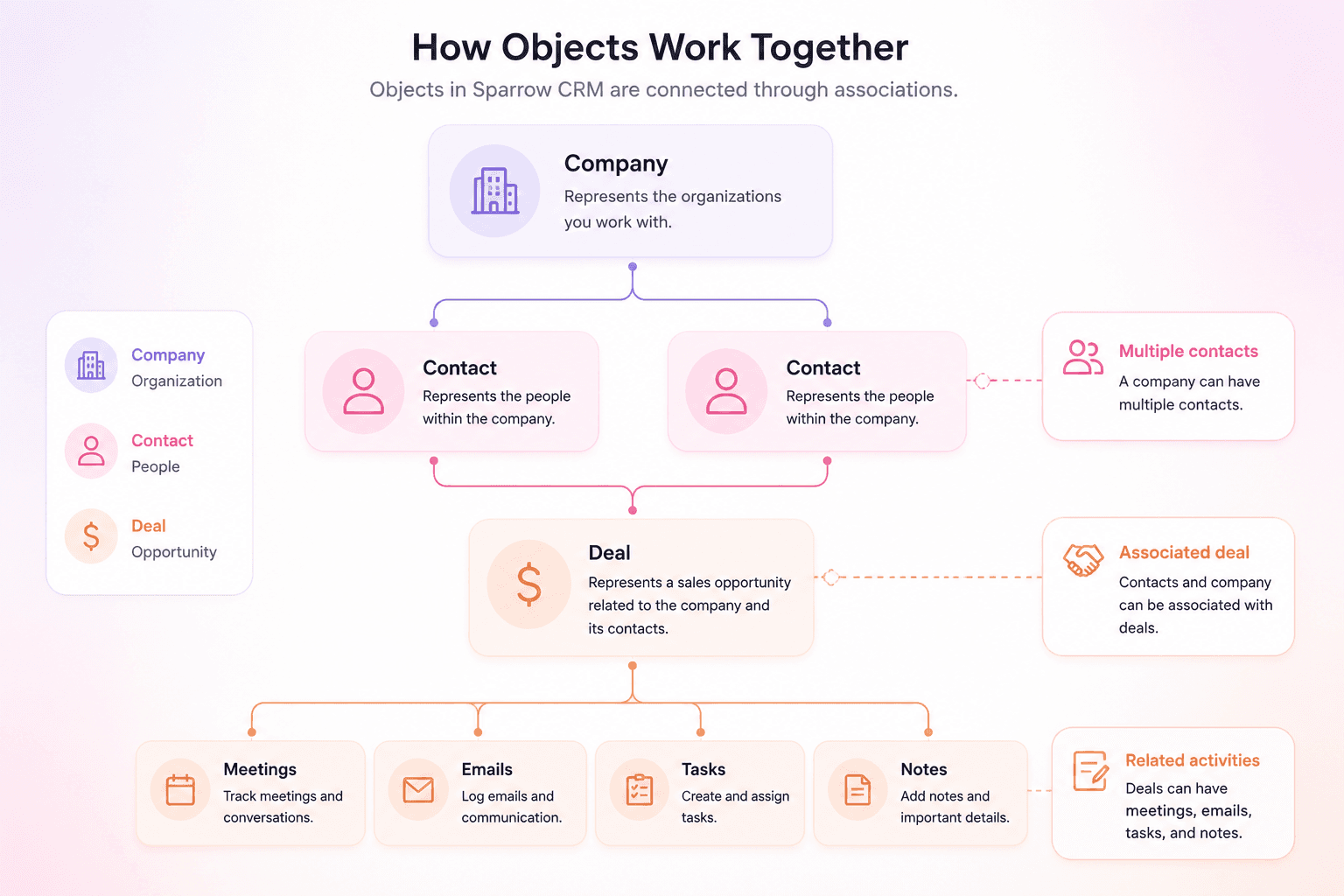
A contact can be associated with a company, a deal can be associated with both a contact and a company, and custom objects can be connected to any object in your workspace.
These relationships give your team a complete view of customers, activities, and opportunities across the CRM.
Understanding how objects, records, and fields work together is key to using Sparrow CRM effectively. As your business grows, you can use standard and custom objects to organize data, build relationships between records, and create a complete view of your customers and opportunities.
If you need any help along the way, we're just a chat away.